
Desktop software for churches and live producers who stream with vMix or OBS. Type the service title once, and MJS Live Manager puts it on YouTube and Facebook, loads your stream keys into the encoder, and takes the broadcast live from one button.
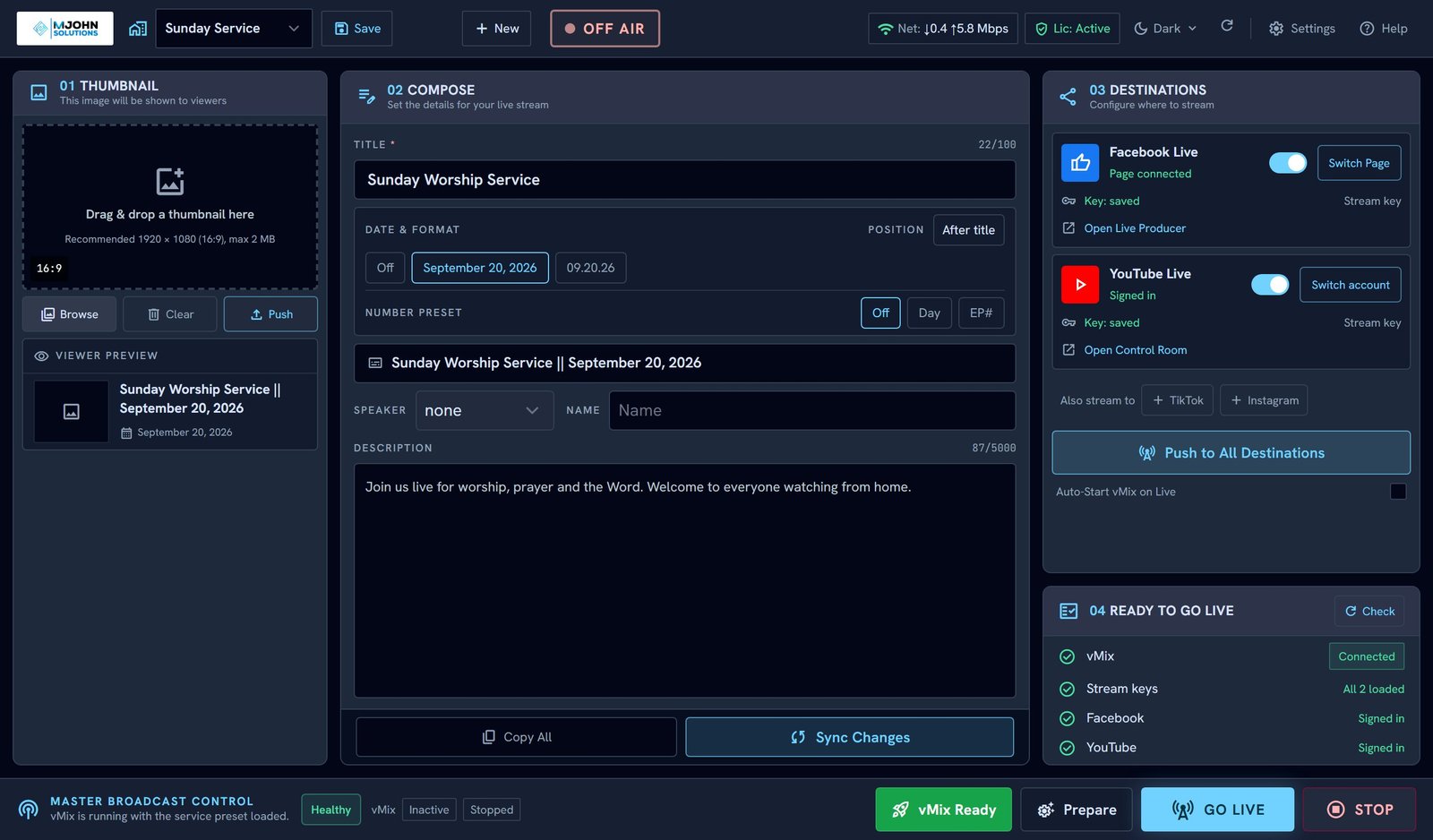
Sunday morning is not the time to retype a title into three websites. MJS Live Manager keeps the routine in one place, so the volunteer at the booth has one set of steps to follow.
MJS Live Manager signs in to your accounts with your permission, and does nothing on them until you press a button. This is exactly what it uses and why.
MJS Live Manager uses YouTube API Services to:
It does not read comments, viewers, analytics or subscribers, and it does not delete videos.
MJS Live Manager uses Meta's Graph API to:
It does not read messages, comments, posts, analytics, or who follows your Page.
Access tokens and stream keys are stored on your own computer in Windows Credential Manager. Facebook sign-in passes through our licensing server so the app's Meta credentials never ship inside the installer; the server hands your token straight back and keeps no copy. The full detail is in our Privacy Policy.
Press Sign out on the YouTube or Facebook card in the app at any time. You can also remove access from your Google Account permissions or from Facebook Business Integrations.
MJS Live Manager is made by MJOHN SOLUTIONS™ and is not affiliated with, endorsed by, or sponsored by Google, YouTube, Meta, Facebook, Instagram, TikTok, vMix or OBS Studio. YouTube is a trademark of Google LLC. Facebook and Instagram are trademarks of Meta Platforms, Inc.
Which encoder you run, where you stream, and who runs the booth on a Sunday. We will tell you honestly whether MJS Live Manager fits.